

BudgAI · Personal finance · AI + UX
One global money app, with answers you can check
Scan to pay, send abroad at live rates, split with anyone, and ask plain questions about your spending. AI suggests; you decide.
Product Design Consultant · Chatoor.ai
UX, UI and interaction design · 2024 app, redesigned as BudgAI in 2026

ROLE
Product Design Consultant, Chatoor.ai

PLATFORM
Mobile and web app

SCOPE
Research, flows, IA, UI and interaction

TIMELINE
2024 consulting
The problem
One app to pay, another to send, a spreadsheet to track
What goes wrong
People pay with one app, send money abroad with another, and track it in a spreadsheet, so fees hide inside exchange rates and subscriptions renew unnoticed.
Goals

Pay anywhere, with live rates upfront

Simplify tracking and give clear visual insights

Enable shared budgets and splitting

AI answers from your own transactions
From Chatoor AI to BudgAI
An India-first expense tracker became a global money app
India-first → Global
Multi-currency wallets and international transfers
UPI-only → Any rail
QR, cards, bank transfer, Apple Pay, UPI and PIX
Tracking → Answers
Ask a question, get an answer grounded in your data
Two personas → Three
Tomás tests the cross-border use case
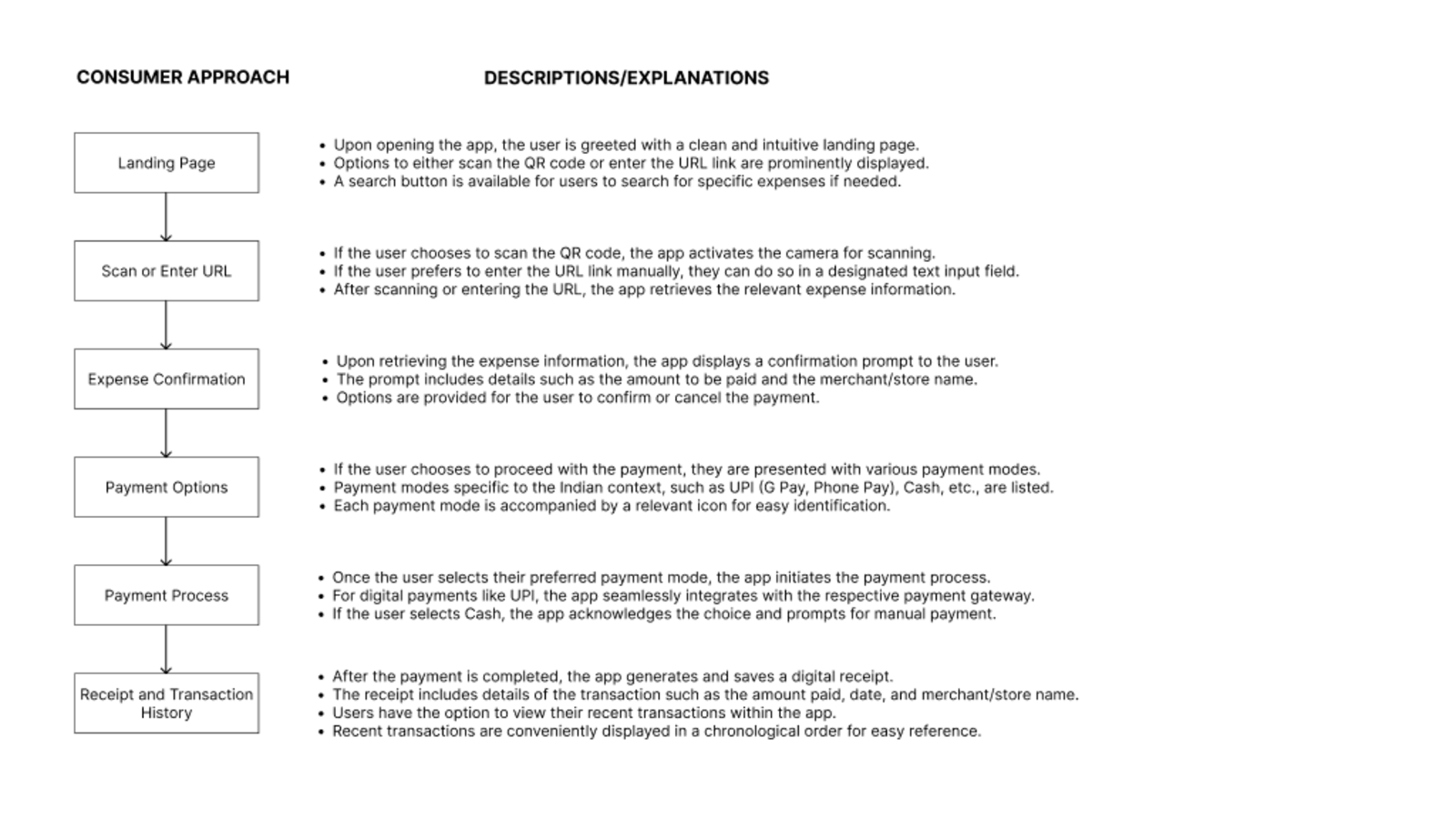
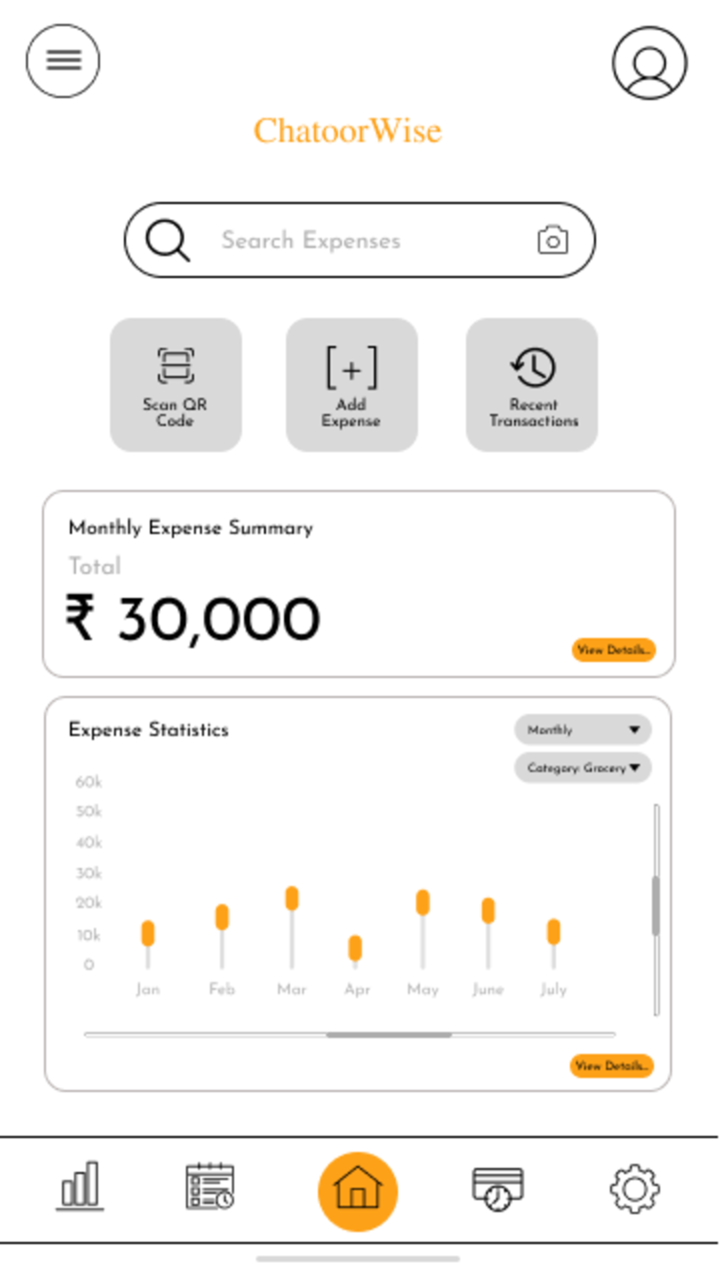
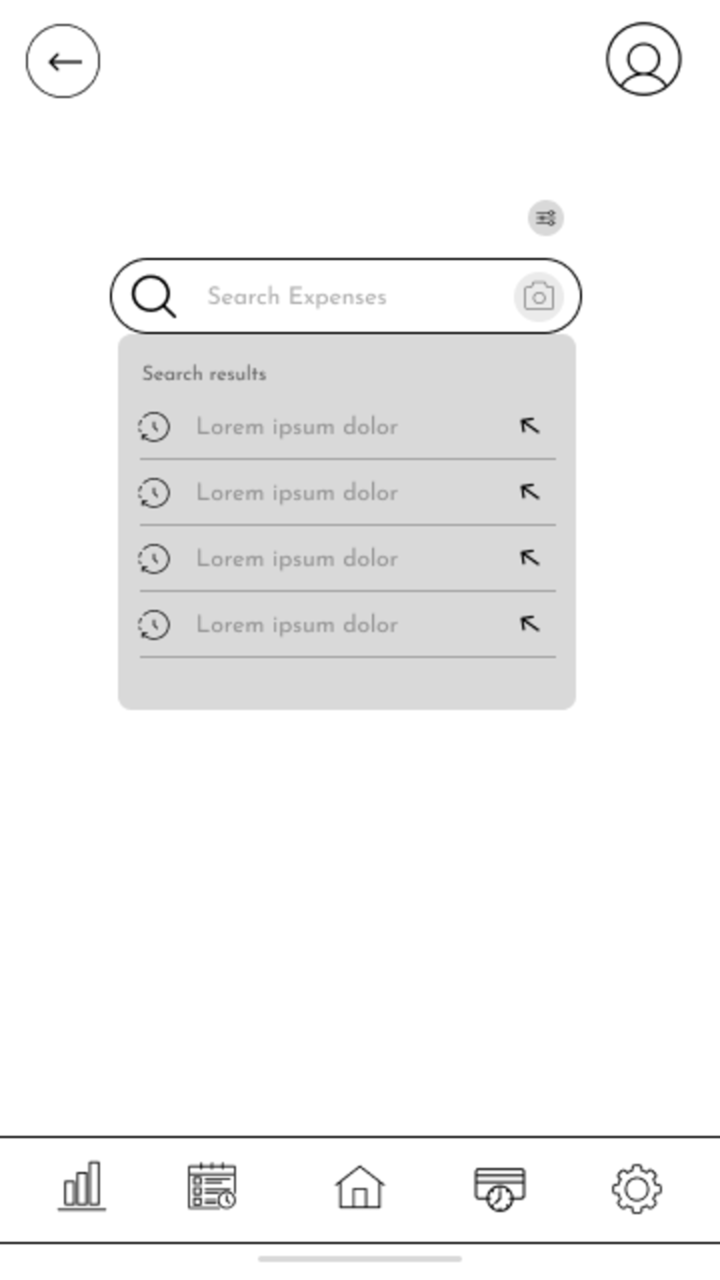
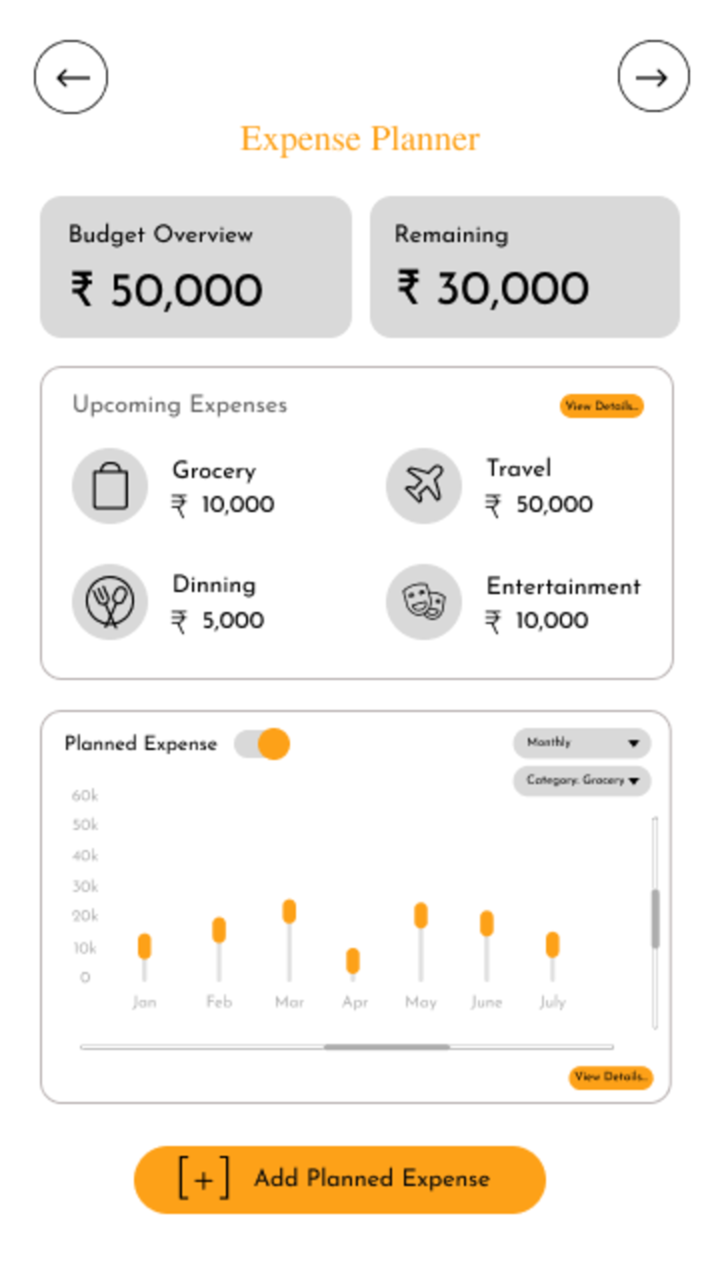
2024 at Chatoor.ai: the UX flow and wireframes for the original expense tracker
User personas
Three people, three ways money moves

Arjun Mehta
34 · Product manager · Bangalore
“Too many manual entries and no meaningful insights.”
Switches between GPay, Excel and card apps; forgets small expenses.

Sunita Rane
41 · Homemaker · Pune
“Family members pay from different apps, so nothing adds up.”
Bills and renewals arrive without warning; finance apps feel built for experts.

Tomás Herrera
31 · Freelance designer · Lisbon
“How much will I lose converting this?”
Banks hide markup in the rate; money spread across three accounts and currencies.
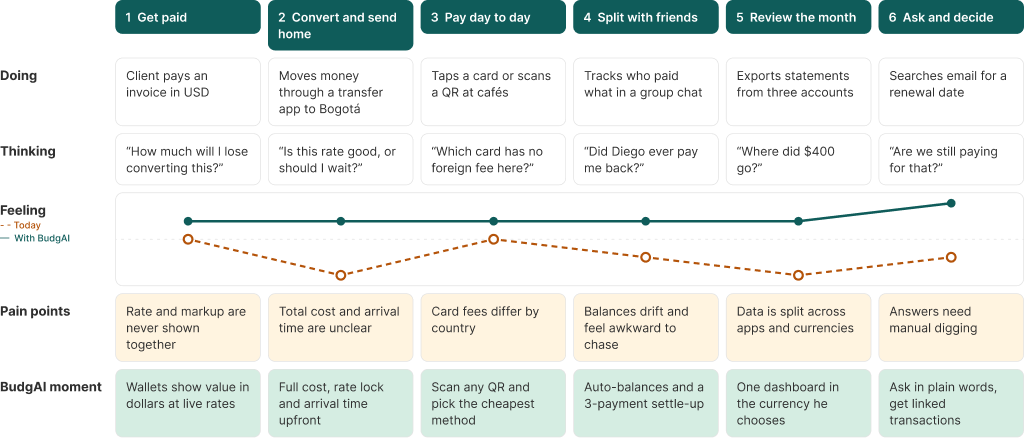
Customer journey · Tomás
Where the money leaks, and where BudgAI steps in
1
Get paid
“How much will I lose converting this?”
BUDGAI
Wallets show value in dollars at live rates
2
Convert & send
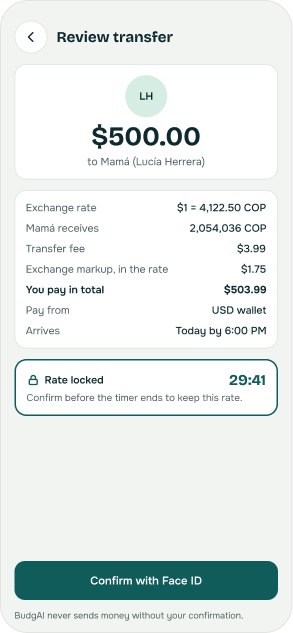
“Is this rate good, or should I wait?”
BUDGAI
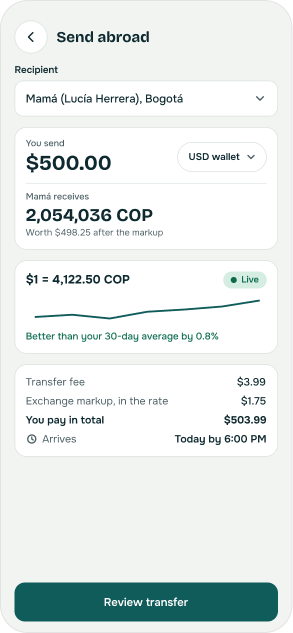
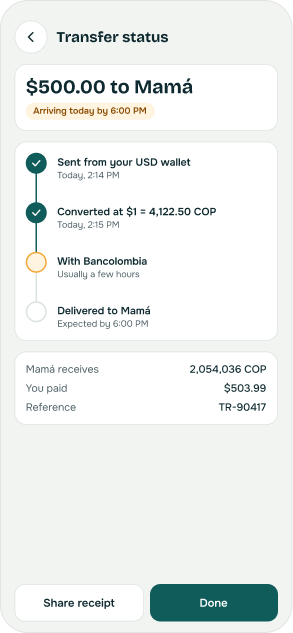
Full cost, rate lock and arrival time upfront
3
Pay day to day
“Which card has no foreign fee here?”
BUDGAI
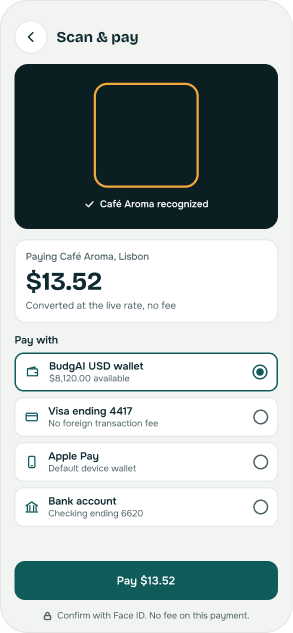
Scan any QR, pick the cheapest method
4
Split
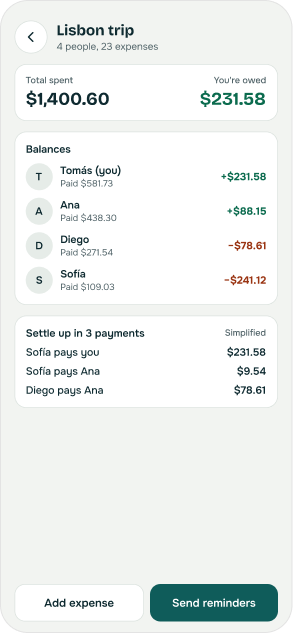
“Did Diego ever pay me back?”
BUDGAI
Auto-balances and a 3-payment settle-up
5
Review
“Where did $400 go?”
BUDGAI
One dashboard in the currency he chooses
6
Ask & decide
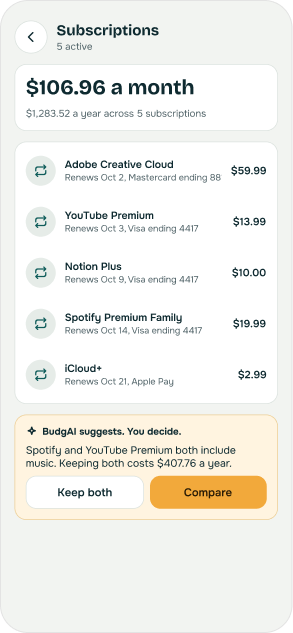
“Are we still paying for that?”
BUDGAI
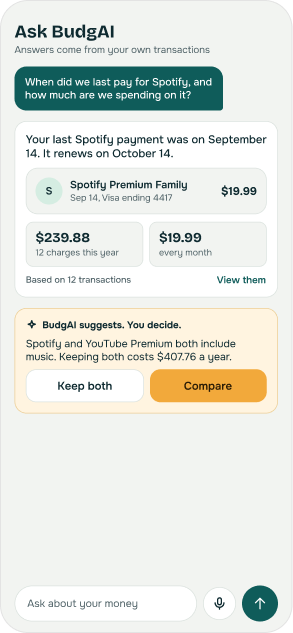
Plain-word answers with linked transactions
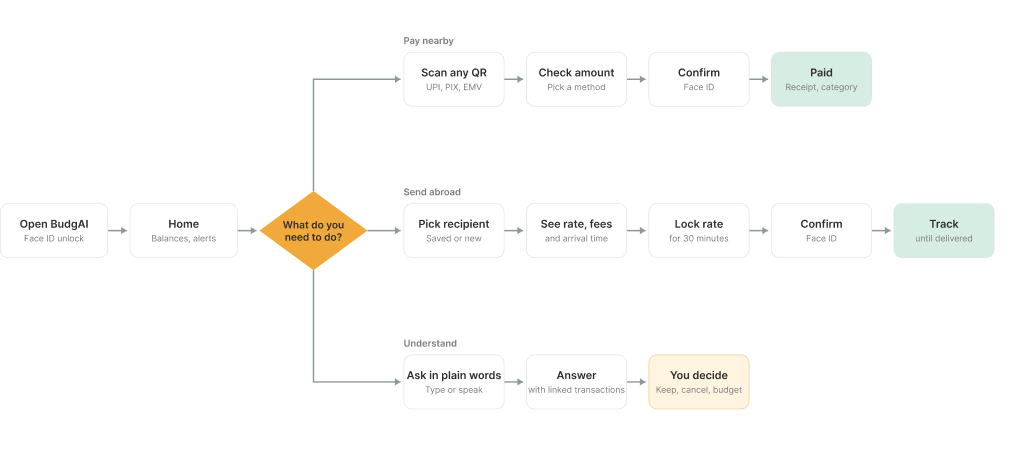
User flows & information architecture
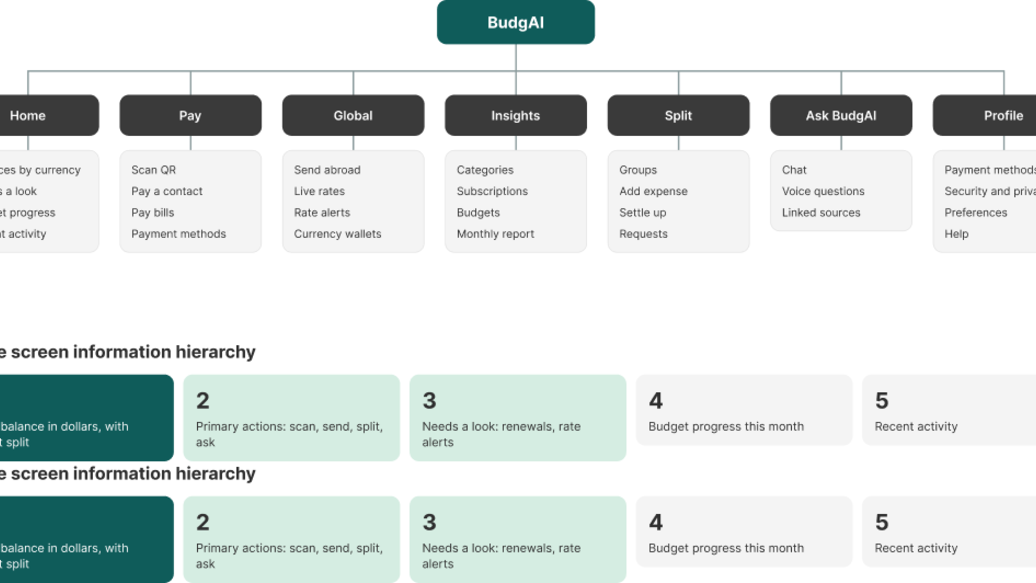
Three jobs, one starting point
Every money-moving step ends with a human confirmation. Scan sits at the center; Ask BudgAI is reachable from every screen.
From low to high fidelity
The same Home screen at each stage
Every layout decision was tested before color and detail were added.
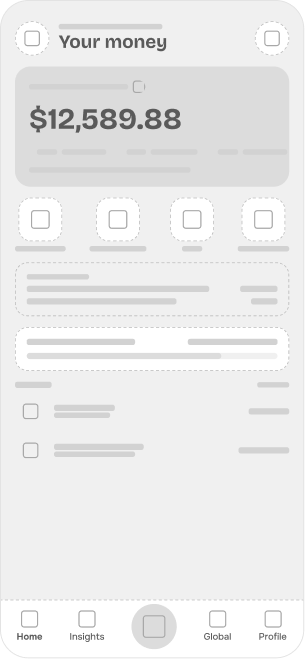
LOW FIDELITY
Structure and priority only

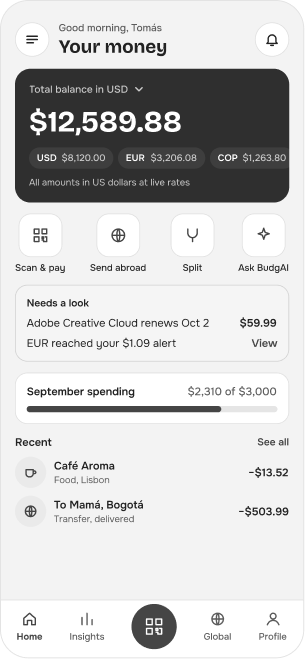
MID FIDELITY
Real copy and hierarchy in grayscale
HIGH FIDELITY
Deep teal for trust, amber for decisions
Final screens
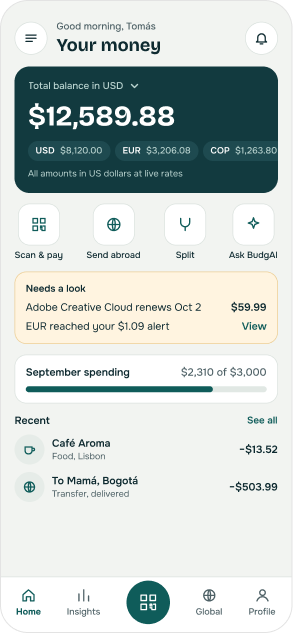
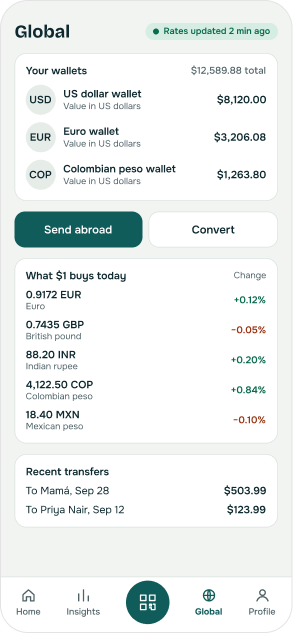
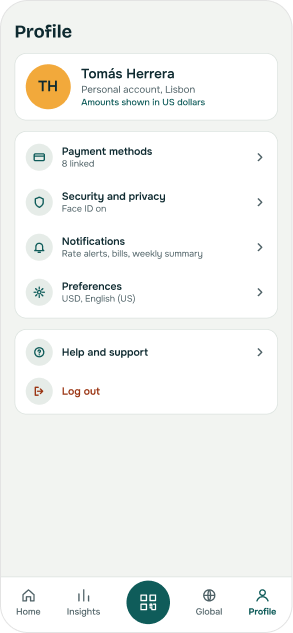
Pay, send, ask and split
30+ screens across Home, Insights, Global, Profile and shared flows.
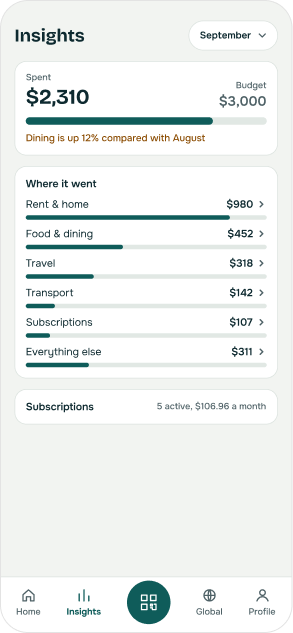
Trust built into every step
No surprise costs, and AI that never moves money
Design principles

Show the source
Every AI answer links to the transactions behind it.
AI suggests, you decide
The assistant can read and explain, but never moves money.
No surprise costs
Fee, markup and arrival time appear before you confirm.
Rates you can check
Every rate is labeled live, with when it was fetched.
What comes next
From prototype to product
01
Usability testing
Five sessions per persona on the send-abroad and ask flows.
02
Real rate data
Connect a licensed FX provider in place of the demo feed.
03
Accessibility audit
Contrast, screen reader labels and dynamic type.
04
Component library
Turn repeated cards, fields and dropdowns into components.
Try the working prototype
claude.ai/artifact/PjL7DjWs2nBAFPqTJzM1RKStarted during my Product Design Consultant role at Chatoor.ai (2024). The BudgAI redesign (2026) extends that work. This page shows my role and contributions.
MORE PROJECTS
All work